Kila msanidi programu hatimaye anauliza utatuzi wa matatizo ni nini? na kwa nini ni muhimu sana katika miradi ya programu. ufafanuzi wa utatuzi wa matatizo inarejelea utaratibu wa kutafuta na kurekebisha makosa katika msimbo. Kwa maneno mengine, Utatuzi wa matatizo hufanya nini?Hubadilisha programu zisizo imara kuwa programu zinazoaminika. Mchakato huu, ambao mara nyingi huitwa fixing mdudu or utatuzi wa msimbo, ndicho kinachofanya programu iendelee kutegemeka.
Ufafanuzi wa Utatuzi wa Makosa:
Kutatua Makosa ni Nini?
#The ufafanuzi wa utatuzi wa matatizo ni rahisi: ni mchakato uliopangwa wa kutafuta kasoro, kuchambua sababu zake, na kutumia marekebisho. Kwa vitendo, shughuli hii huzuia ajali za programu, huboresha uthabiti, na hupunguza hatari za muda mrefu. Wasanidi programu mara nyingi huiita fixing mdudu or msimbo wa utatuzi wa matatizo, kwa kuwa hubadilisha programu zenye kasoro kuwa programu zinazoaminika. Kwa maneno rahisi, utatuzi wa matatizo ni msingi wa programu inayotegemeka na salama.
Utatuzi wa Makosa Hufanya Nini? #
Watengenezaji mara nyingi huuliza Utatuzi wa matatizo hufanya nini? zaidi ya kurekebisha makosa tu. Jibu ni kwamba inahakikisha msimbo unafanya kazi jinsi ulivyokusudiwa. Wakati programu inashindwa, hii mchakato wa kurekebisha hitilafu Husaidia kufuatilia chanzo cha tatizo, iwe ni nusukoloni inayokosekana, API iliyotumika vibaya, au algoriti yenye dosari.
Kwa wahandisi, utatuzi wa matatizo hufanya mengi zaidi ya kuzuia ajali.
- Huthibitisha mawazo kuhusu jinsi msimbo unavyopaswa kuendeshwa.
- Huboresha uaminifu katika mazingira.
- Hupunguza muda unaopotea kwa kutenganisha matatizo haraka.
- Huimarisha imani katika vipengele vipya kabla ya kutolewa.
Kwa vitendo, hii mchakato wa utatuzi wa matatizo ni kama mazungumzo na msimbo wako. Unapitia utekelezaji, unakagua vigezo, na unathibitisha kwamba mantiki inapita kama inavyotarajiwa. Kwa hivyo, mbinu hiyo inabadilisha msimbo kutoka kwa ubashiri kuwa mbinu yenye nidhamu inayotoa matokeo thabiti na salama.
Kwa Nini Kutatua Makosa Ni Muhimu #
Kutatua matatizo ni muhimu kwa sababu hakuna msimbo usio na dosari. Makosa ya sintaksia, makosa ya mantiki, au miunganisho iliyovunjika huonekana katika karibu kila mradi. Kwa mfano, nusu koloni inayokosekana inaweza kusimamisha mkusanyiko, huku algoriti isiyo sahihi ikiweza kuvunja utendaji. Zaidi ya hayo, marekebisho ya makosa Huokoa pesa. Kurekebisha matatizo wakati wa uundaji ni rahisi kuliko kutatua matatizo baada ya kutolewa. Kwa hivyo, timu hutumia muda mfupi katika hali ya kuzima moto na muda mwingi wa kujenga vipengele.
Sifa Muhimu #
- Mchakato wa kimfumo - toa tena hitilafu, tafuta chanzo, kirekebishe, na ujaribu tena.
- Usaidizi wa zana - Virekebishaji vya IDE, kumbukumbu, na huduma za ufuatiliaji.
- Hali ya kurudiarudia - baadhi ya matatizo yanajitokeza tena, yakihitaji mizunguko mingi.
- Zingatia uaminifu - kuhakikisha uthabiti wa muda mrefu na imani ya mtumiaji.
- Ujumuishaji na majaribio - utatuzi wa matatizo mara nyingi hufuata upimaji wa kitengo na ujumuishaji.
Kesi za Matumizi ya Kawaida #
Utatuzi wa hitilafu huonekana katika kila hatua ya uundaji. Kwa mfano, wakati wa usimbaji, wasanidi programu hurekebisha makosa ya sintaksia au kimantiki mara moja. Katika majaribio, timu za QA hutatua masuala yaliyoainishwa na ukaguzi otomatiki. Katika uzalishaji, kumbukumbu na mifumo ya ufuatiliaji huonyesha hitilafu za ulimwengu halisi. Na katika DevOps, pipeline troubleshooting au kurekebisha mipangilio ya kontena huweka uwasilishaji laini.
Aina za Utatuzi wa Makosa #
Wasanidi programu wanapouliza utatuzi wa matatizo ni nini?, mara nyingi hugundua kuna mbinu tofauti. Aina zinazojulikana zaidi ni pamoja na:
- mwongozo: kukagua msimbo kwa mkono, kwa kutumia sehemu za kukatiza au taarifa za kuchapisha.
- Kujiendesha: kutegemea zana au hati ili kugundua matatizo haraka.
- Static: kuchambua msimbo bila utekelezaji, sawa na kuchorea.
- Dynamic: kuendesha programu ili kuchunguza tabia na kugundua hitilafu.
Kila mbinu ina nguvu. Kwa mfano, utatuzi otomatiki na unaobadilika unaweza kuokoa muda, huku ukaguzi wa mikono ukisaidia kugundua dosari ndogo za kimantiki. Kwa hivyo, utatuzi kamili ufafanuzi wa utatuzi wa matatizo inapaswa kujumuisha tofauti hizi zote.
Utatuzi wa hitilafu katika DevOps za Kisasa #
Bado unaweza kujiuliza, Utatuzi wa matatizo hufanya nini? katika mtiririko wa kazi wa DevOps? Jibu ni kwamba inaweka pipelines na kutolewa kwa stable. Kutatua hitilafu leo hakuzuiliwi tu kwenye usimbaji—kunahusisha mzunguko mzima wa maisha:
- CI/CD pipelines: kutatua hitilafu za ujenzi au hitilafu za majaribio.
- Miundombinu kama Kanuni (IaC): kutambua usanidi usiofaa kabla ya kutekelezwa.
- Ufuatiliaji na kumbukumbu: kutumia uwezo wa kuchunguza makosa kwa wakati halisi.
- Utatuzi wa usalama: kurekebisha udhaifu katika utegemezi au pipeline mipangilio, inayohusiana kwa karibu na 10 Bora za OWASP.
Matokeo yake, ufafanuzi wa utatuzi wa matatizo sasa inashughulikia vipengele vya utendaji, uendeshaji, na usalama. Katika DevOps, ina ufanisi fixing mdudu huzuia muda wa kutofanya kazi, huharakisha utoaji, na hujenga uaminifu katika otomatiki.
Jinsi Xygeni Husaidia katika Kutatua Makosa katika Uundaji Salama #
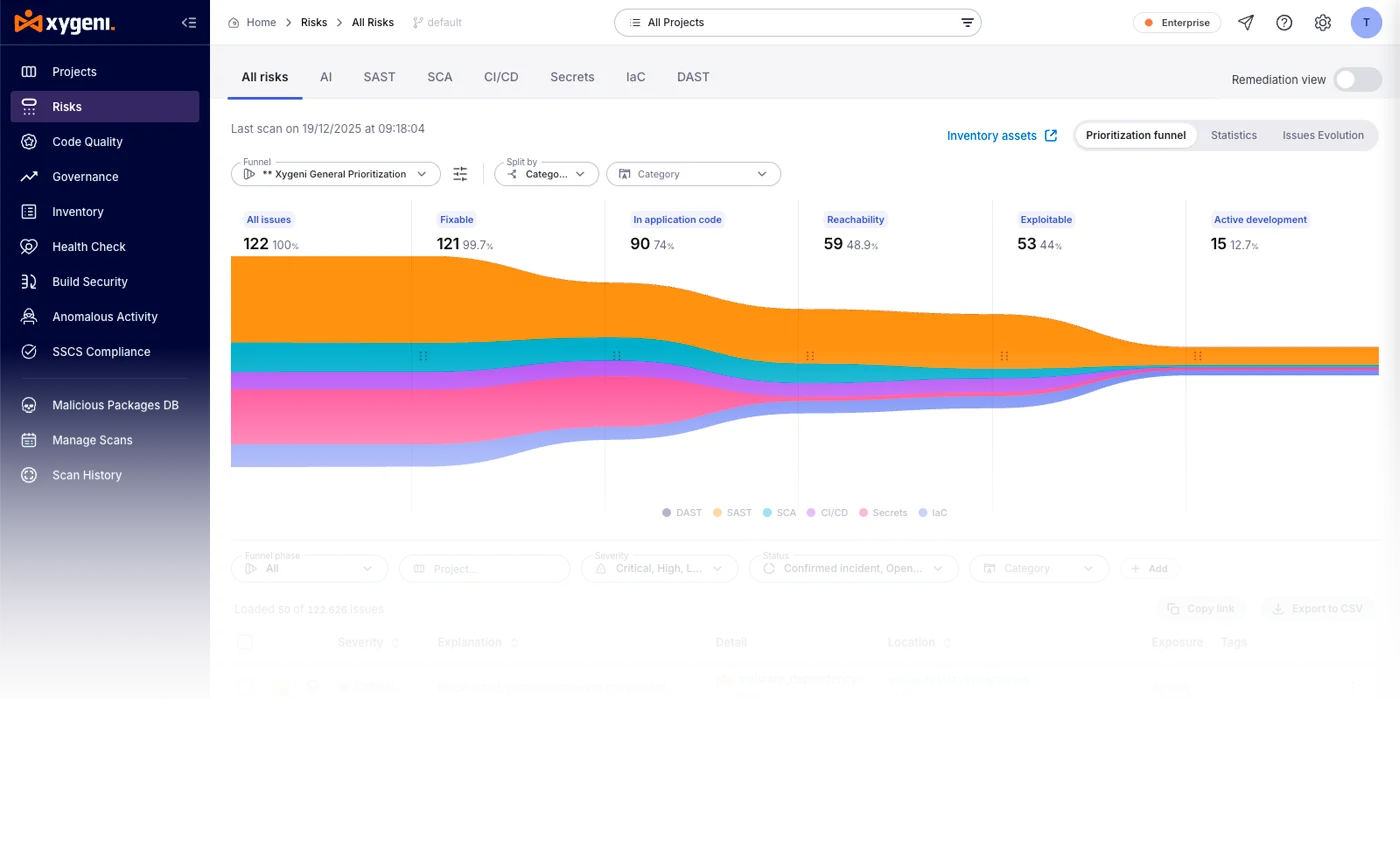
Utatuzi wa hitilafu kwa kawaida huzingatia utendaji kazi, lakini masuala ya usalama ni muhimu vile vile. Utegemezi dhaifu au usanidi usio sahihi pipeline inaweza kutenda kama mdudu lakini huweka mifumo kwenye hatari ya kushambuliwa. Xygeni husaidia kwa kupachika uchambuzi wa msimbo salama katika mifumo ya kazi ya DevSecOps.
Kama Jukwaa la AppSec la pamoja, inaunganisha:
- SAST ili kugundua mifumo ya msimbo isiyo salama.
- SCA kufichua utegemezi hatari.
- Siri na IaC skanning kuzuia vitambulisho vilivyofichuliwa.
- Ugunduzi wa anomaly kuangazia isiyo ya kawaida pipeline tabia.
Kwa kuongezea, Xygeni hutumia njia za kipaumbele na maarifa ya unyonyaji ili timu zirekebishe kile kilicho muhimu zaidi. Kwa hivyo, wasanidi programu sio tu hutatua hitilafu za utendaji lakini pia huzuia dosari za usalama kabla ya kutolewa. Pata maelezo zaidi katika blogu yetu kuhusu kuunganisha zana 10 kuwa moja.