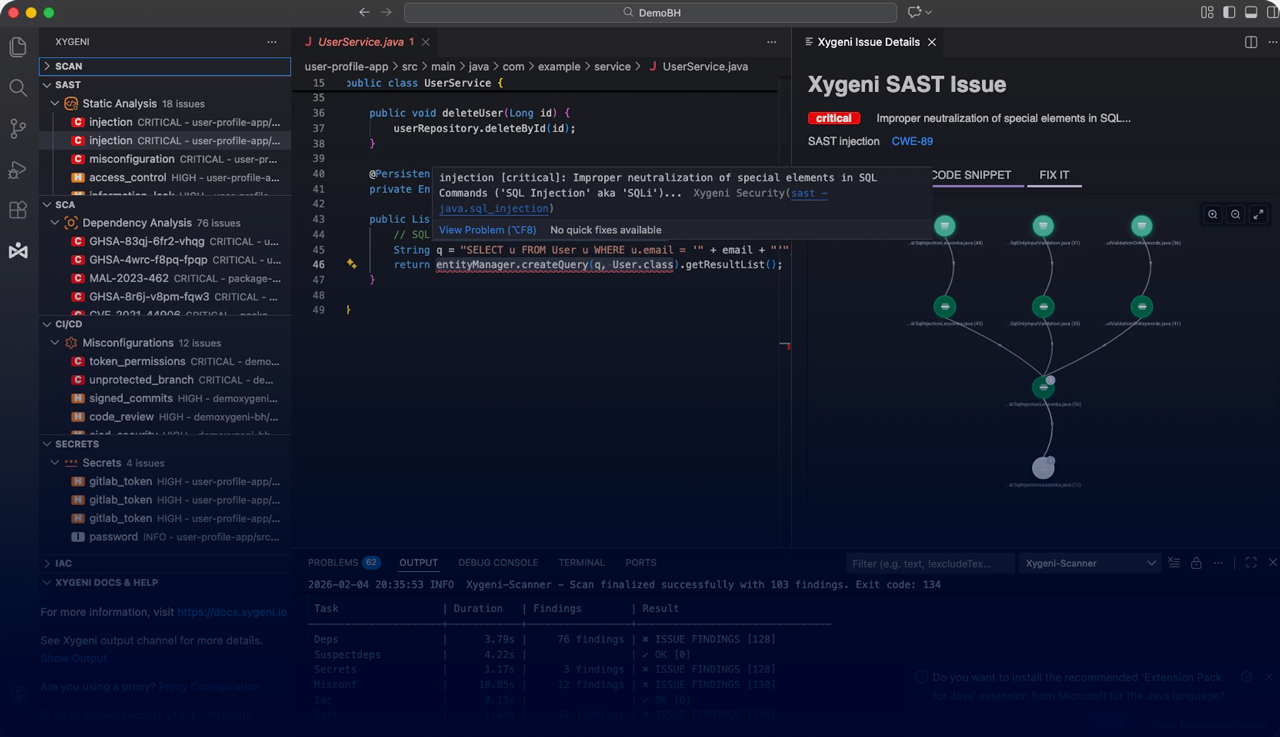
DevAI is Xygeni’s agentic AI for AppSec, embedded directly inside modern IDEs. It analyzes human and AI-generated code in real time, explains exploit paths, and delivers safe, automated fixes without breaking developer flow.
DevAI is not a chatbot and not a code generator.
It is a security-aware Agentic AI connected to Xygeni’s MCP (Model Context Protocol), the intelligence layer that understands risk, policies, guardrails, and remediation safety across your organization
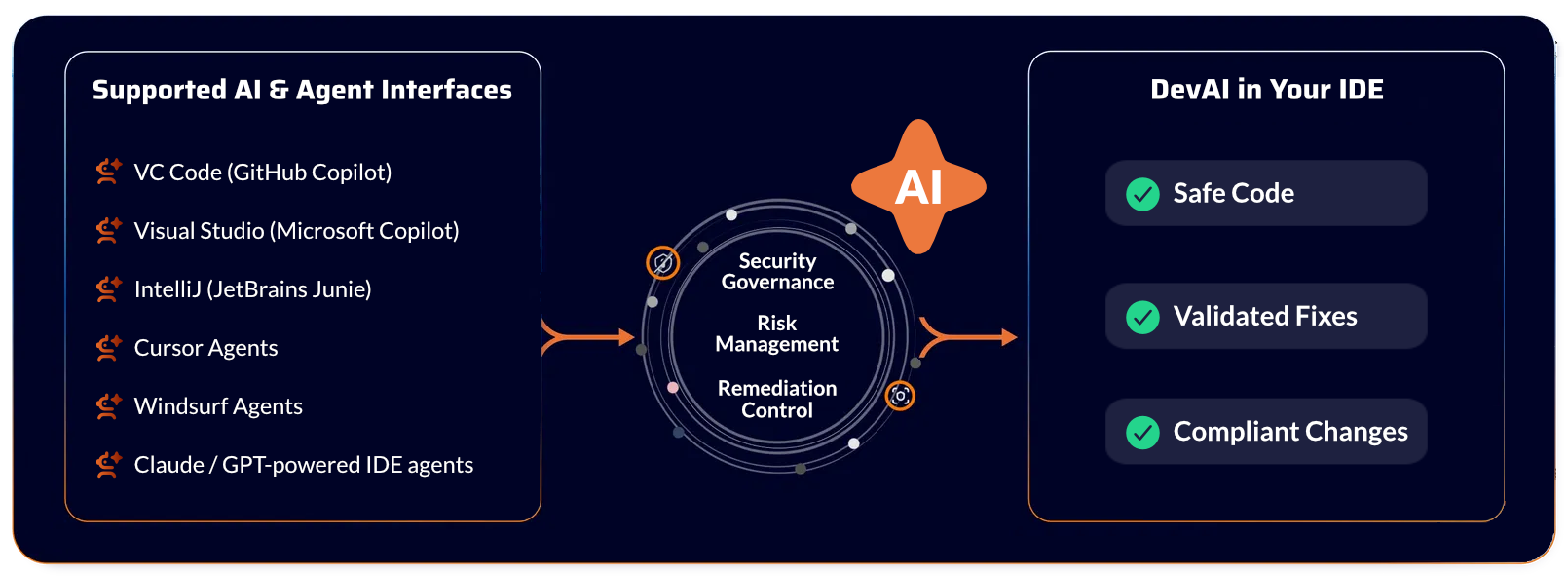
DevAI works as a continuous security layer inside your IDE, turning AI-generated and human-written code into safe, production-ready software, without slowing you down.
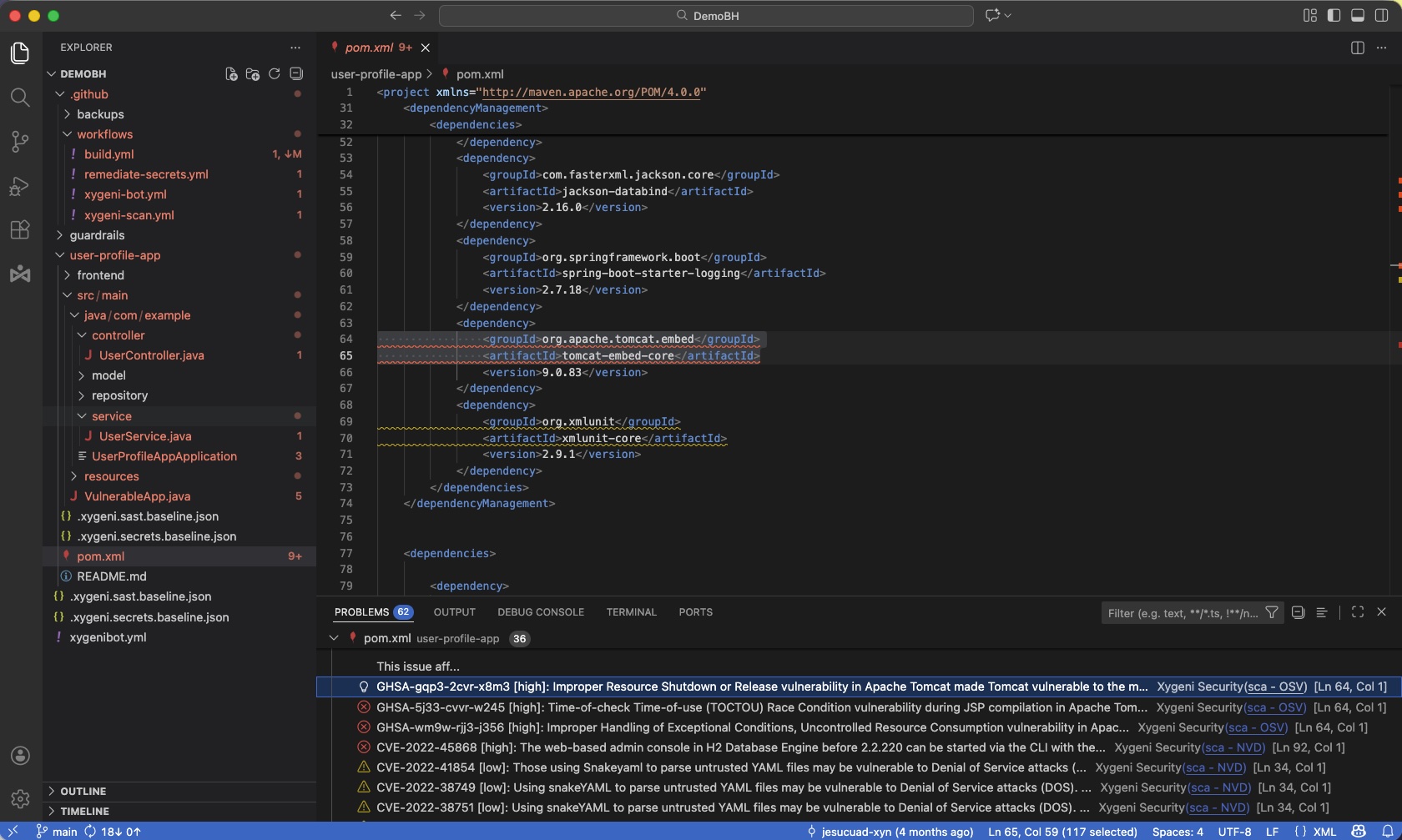
DevAI runs continuously as developers type. It performs incremental SAST scanning, detects vulnerable patterns, exposed secrets, and unsafe APIs, including in AI-generated code, and explains the real attack path behind each finding.
Every detection, fix, and recommendation is evaluated by the MCP Server for risk, policy, and breaking-change impact, so developers get guidance that is safe for production and compliant with enterprise rules.
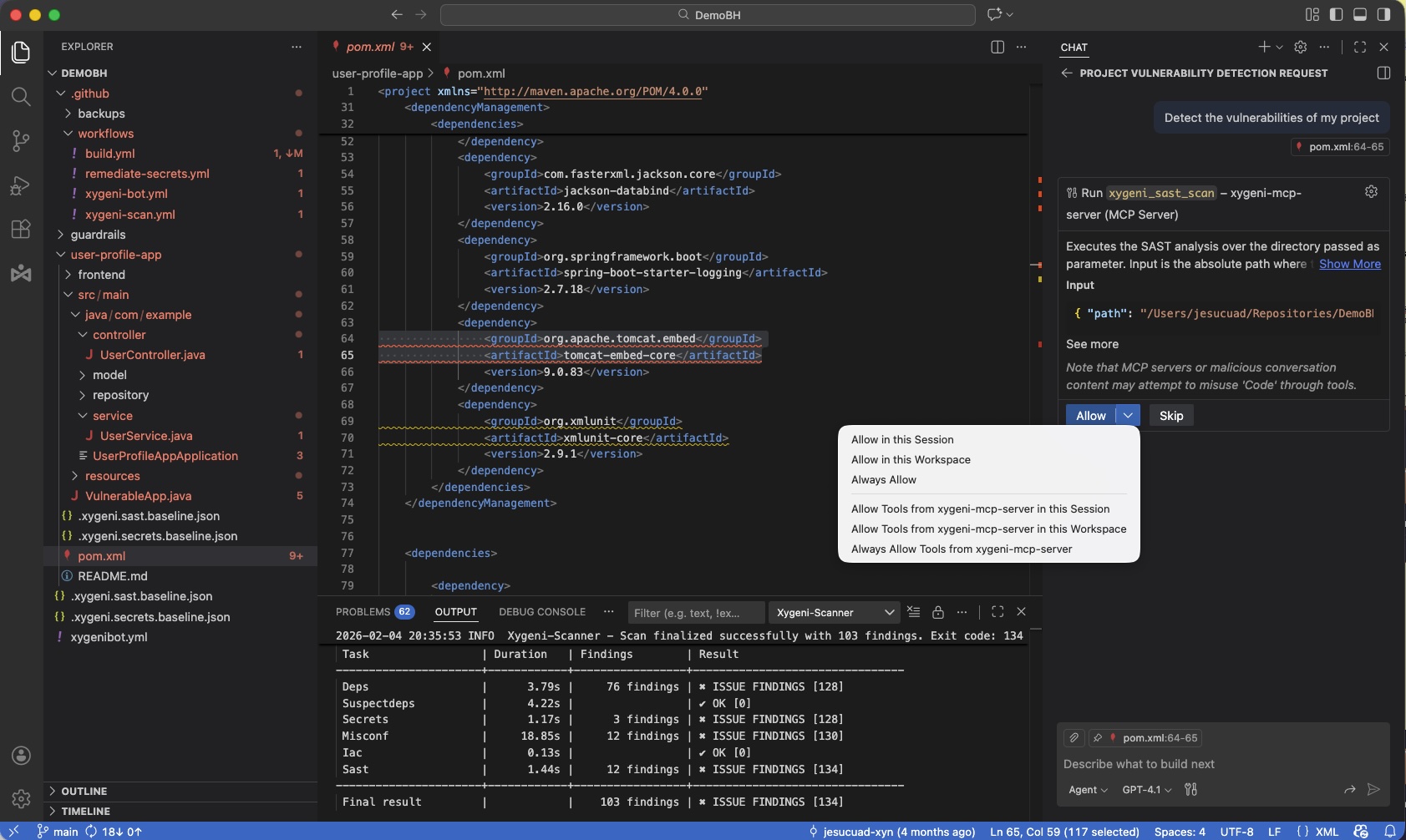
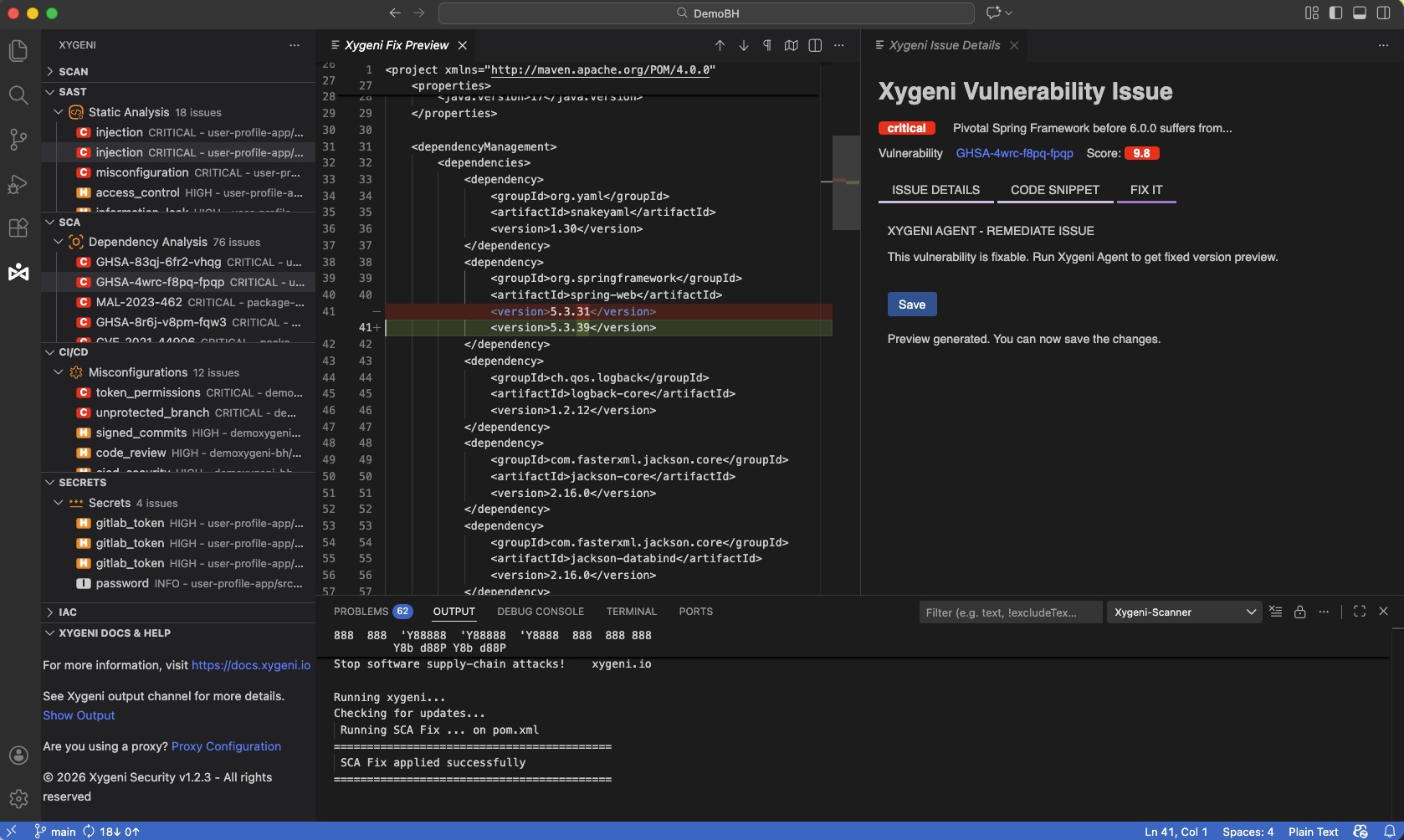
Developers can review, apply, or reject fixes, and even flag findings as false positives directly from the IDE, keeping control without leaving their workflow.
Find exploitable vulnerabilities and insecure patterns in both human-written and AI-generated code as you type.
See how an attacker could actually reach and exploit a vulnerability, with AI-generated flow analysis.
Receive secure, ready-to-apply fixes for code and dependencies, validated by DevAI and the MCP Server.
Only changed code is analyzed, delivering instant feedback without slowing down your IDE or workflow.
Verify changes against security and compliance rules before they reach CI, preventing failed builds and rework.
Understand the safety and impact of every fix, including breaking-change and compatibility risk.
Detect malicious code, poisoned dependencies, and pipeline-level threats before they become incidents.
Find leaked API keys, tokens, and credentials in both code and configuration.
No. DevAI works proactively in the background, continuously scanning code and proposing fixes as you work. When you want to interact, you do it through your IDE’s Copilot or agent chat window (for example in VS Code, IntelliJ, Cursor, or Windsurf), using natural language or commands to ask for explanations, suppress findings, or request alternative fixes.
DevAI supports all major modern languages, including Java, C#, JavaScript/TypeScript, Python, Go, Ruby, and PHP. It also understands common application frameworks such as Spring, .NET, and React, allowing it to analyze real application flows instead of isolated files. Support continuously expands as Xygeni updates the platform.
Both. DevAI can scan existing repositories on day one to uncover hidden risk, and it continues protecting every new change after that. Many teams use DevAI to clean up legacy vulnerabilities with auto-fix and then rely on it to keep new code secure going forward.
Every fix is evaluated by the MCP Server for breaking-change risk and policy compliance before it is proposed. In the IDE, developers get a preview of every change and can review, approve, or reject it before anything is applied. Your existing CI tests still run, so nothing unsafe slips through.
Yes. DevAI can generate and apply fixes for vulnerabilities, dependencies, and secrets. When AI coding agents (like Copilot, Junie, Cursor, or Windsurf) generate code, Xygeni’s MCP and DevAI verify and secure that code before it is delivered to the developer, ensuring AI output is safe by default.
DevAI works locally in your development environment and analyzes the latest version of your code before it is pushed to source control. Your code is never uploaded to external AI services and is never used to train external models. You keep full control over your intellectual property.
No. DevAI uses incremental scanning, analyzing only what changed, so feedback is fast and lightweight. It runs continuously without slowing your IDE, builds, or developer workflow.
Bring AI-powered security directly into your IDE.
