

Understanding the different types of security tags and how to remove them is critical for developers who want to keep pipelines secure and predictable. Tags shape traceability, version control, and dependency management across the software supply chain. Yet when they are misused, they create blind spots that attackers can exploit. That is why asset tagging in vulnerability scanner workflows are vital, and why using git tag correctly ensures repositories remain trustworthy. In this post, we break down common tagging mistakes, show how to remove or fix them safely, and explain how Xygeni adds an extra layer of protection with advanced detection.
Why Tags Matter in Security and DevOps
Tags may look like simple labels, but in fact, they are anchors for traceability. They decide which version of an artifact ships to production, which assets scanners prioritize, and which commits define a release. Moreover, when used properly, tags enable reproducibility and accountability. However, poorly managed tags can:
- Hide vulnerabilities from scanners
- Allow compromised commits to sneak into releases
- Break builds by pulling unstable versions
- Confuse teams with inconsistent labeling
Therefore, managing and removing tags securely is not just housekeeping, it is core to supply chain security.
Different Types of Security Tags and How to Remove Them
Tags show up in multiple parts of development. Accordingly, developers must understand both how they work and how to remove them safely when they cause problems.
- Container tags (e.g., latest, stable): Floating tags change without warning, breaking reproducibility. As a result, always use explicit versions like nginx:1.25.2. To remove an insecure container tag, run docker rmi <image:tag> and enforce tag policies in registries.
Dependency and package tags (npm, PyPI, DockerHub): Wildcards such as ^1.2.0 or * may automatically pull malicious or unstable versions. Instead, the safer approach is to pin exact versions. - Build and artifact tags: CI/CD pipelines often attach tags like dev, test, or prod. Consequently, reusing these tags across environments creates confusion.
- Git tags: Lightweight Git tags like v1.0 are convenient, but at the same time, if unsigned or overwritten, they can point to malicious commits.
In every case, safe removal means more than deletion. It requires traceability, backups, and replacement with secure, verifiable tags.
Security Tags and Version Pinning
Version pinning means locking dependencies and images to an exact version instead of using floating tags like latest or flexible ranges such as ^1.2.0. Without pinning, a new build may silently pull in a different version, possibly vulnerable, unstable, or even malicious.
How Xygeni Detects Lack of Version Pinning
Xygeni automatically scans your code and CI/CD pipelines for missing pinning or absent lockfiles. When it finds issues, it generates a dashboard card with:
- Severity level: e.g., low for unpinned but reachable dependencies.
- File and branch: the exact file (setup.py, package.json) and branch/commit where the problem occurs.
- Explanation: why version pinning is required to prevent supply-chain risks.
- Tags: such as reachable or in-app-code, showing whether the unpinned dependency can actually affect runtime.
- Recommended remediation: add a lockfile under version control (e.g., Pipfile.lock or package-lock.json) or replace floating tags with pinned versions.

For example, Xygeni flagged:
- A setup.py without pinned versions in a Python project.
- A package.json with missing package-lock.json in a JavaScript project.
In both cases, the dashboard provided context, the impacted files, and clear remediation steps.
Best Practices for Different Types of Security Tags and How to Remove Them
| Area | Bad Practice (❌) | Best Practice (✅) |
|---|---|---|
| Container tags | Using latest or stable |
Pin to exact versions like nginx:1.25.2 |
| Dependencies | Using ^1.2.0 or * (auto-upgrades) |
Lock to exact versions + commit lockfiles (package-lock.json, Pipfile.lock) |
| Git tags | Lightweight tags (v1.0) without signing |
Signed, annotated tags (git tag -s v1.0) |
| CI/CD artifacts | Reusing generic tags (dev, prod) |
Unique, timestamped, or commit-based tags |
| Version pinning | No lockfile under version control | Require lockfiles in repos, reviewed in PRs |
Asset Tagging in Vulnerability Scanner: Value and Risks
Asset tagging in vulnerability scanner tools helps teams focus on risks by labeling systems as production, staging, or test. This way, important systems get the right protection.
However, poor or uneven tagging can create blind spots. For example, if a production server is mistakenly tagged as “test,” it may never be scanned. As a result, serious issues can stay hidden until they are exploited.
Best practices for asset tagging:
- Use the same tag rules across all environments
- Automate tagging with infrastructure as code (IaC)
- Review tags often to make sure nothing is missing
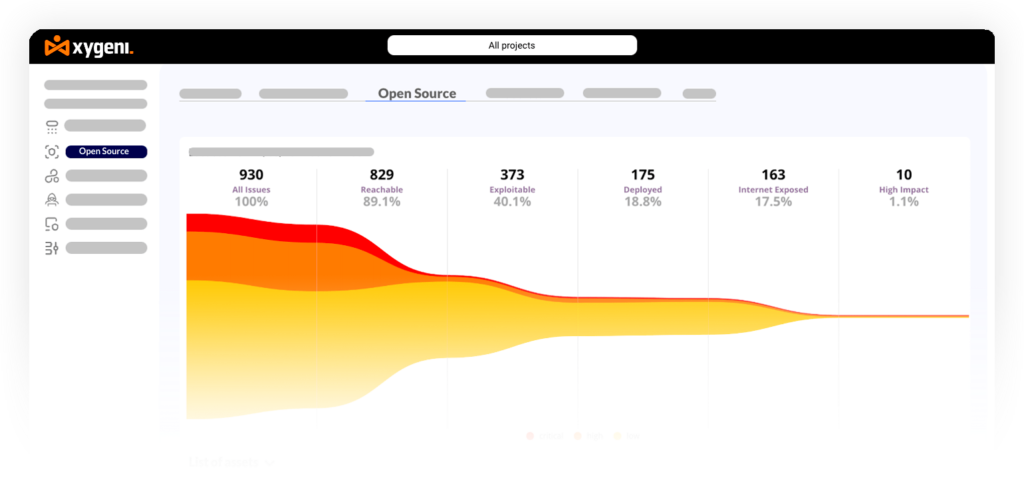
By combining clear tagging with scanners, teams improve both focus and visibility. Xygeni goes further by linking asset tagging with reachability analysis and remediation risk, so fixes are prioritized based on real chances of being exploited.
Using Git Tag Safely in Secure Pipelines
The git tag command is key for versioning, but it can create risks if not used safely. Unsigned or changed tags can let attackers point releases to bad commits, breaking trust.
Best Practices for Git Tag:
- Sign tags: Use
git tag -s v1.0to create signed tags that prove they are real - Protect key tags: Block changes to tags used for releases
- Review before release: Check that tags point to the right commits
For example, if an attacker adds a tag v1.0 to a commit with a backdoor, the release may include malicious code. That is why using Git tags safely is just as important as managing secrets or dependencies.
Practical Examples of Tagging Mistakes
- Docker latest: Breaks reproducibility because upstream changes silently; as a result, builds may fail unexpectedly.
- Wildcard dependencies: Pull unverified or malicious versions without review. For example, a single typo-squatted package can poison the build.
- Unsigned Git tags: Allow attackers to smuggle backdoored commits. Accordingly, teams must enforce signing.
- Incorrect asset tags: Exclude production systems from scans, leaving blind spots. After all, a vulnerability cannot be fixed if it is never scanned.
Each mistake is avoidable with clear policies, automation, and strong tools.
How to Build a Strategy Around Different Types of Security Tags and How to Remove Them
To reduce risks:
- Define clear tagging policies across dev, staging, and prod. In fact, consistency across environments prevents confusion.
- Automate tag management in CI/CD. Moreover, automation reduces human error.
- Integrate asset tagging in vulnerability scanner workflows. As a result, high-value assets always get prioritized.
- Regularly audit git tag usage to confirm authenticity. In addition, enforce tag signing policies for critical repos.
- Pair tagging policies with Xygeni’s guidance on version pinning. Therefore, upgrades remain safe and controlled.
In summary, by applying these best practices, teams strengthen security while keeping pipelines predictable.
Conclusion: Security Tags Done Right
Mismanaged tags break traceability, hide vulnerabilities, and open the door to supply chain attacks. Understanding the different types of security tags and how to remove them is critical for developers. With reliable asset tagging in vulnerability scanner workflows and secure use of git tag, teams can maintain trust in their pipelines.
Moreover, with Xygeni’s version pinning detection and advanced remediation checks, developers gain confidence that upgrades and tag removals improve security without breaking builds.
Start your free trial today and see how Xygeni strengthens tag integrity, enforces version pinning, and protects your software supply chain.