






TL;DR
AI coding is more than autocomplete. It covers any use of AI, usually LLMs, to generate, complete, or refactor code, ranging from inline copilot suggestions to fully agentic tools that plan and execute changes across a whole repository, to conversational "vibe coding."
It is now the default, not the exception. Over 97% of developers report using AI coding tools at work, and most engineering teams run several tools at once without a formal inventory of which one touched which repository.
It ships with a real security gap. 45% of AI-generated code samples introduce an OWASP Top 10 vulnerability, and 19.7% of AI-suggested packages don't even exist, opening the door to slopsquatting attacks where attackers pre-register the hallucinated name.
The fix is speed, not restraint. Slowing AI coding down isn't the answer. Closing the gap means scanning and validating code and dependencies in real time, inside the IDE, at the same speed the AI generates them.
Open any IDE today and there is a good chance something other than a human typed the last line of code in it. GitHub reports that more than 97% of developers have used an AI coding tool at work. Ask almost any engineering team in 2026, and the answer is the same: AI coding is no longer an experiment, it is how software gets built.
That shift is exciting, and it is also the reason application security teams are having a very different conversation than they were three years ago. AI coding tools write fast. They do not always write safely. Independent research found that 45% of AI-generated code samples introduced an OWASP Top 10 vulnerability when tested out of the box, a figure that has stayed essentially flat across newer model generations.
This guide answers the question developers keep typing into Google: what is AI coding, how does it actually work, and what does it take to use it without shipping vulnerabilities at machine speed?
What Is AI Coding, Exactly?
AI coding is the use of machine learning models, most commonly large language models (LLMs), to generate, complete, explain, refactor, or review source code. It covers a wide spectrum, from a single autocompleted line to an autonomous agent that opens a pull request.
In practice, “AI coding” today means one of three things:
- AI-assisted coding (copilot style): the developer writes, the AI suggests. Inline completions, function-level generation, chat-based explanations. The developer stays in the driver’s seat.
- Agentic coding: the AI plans and executes multi-step changes across multiple files, sometimes multiple repositories, with minimal prompting. It can run commands, install dependencies, and open pull requests.
- Vibe coding: a newer, more conversational style where the developer describes an outcome in natural language and lets the AI generate most or all of the implementation, iterating by describing what is wrong rather than editing code directly.
All three share the same underlying reality: code is now produced faster than any human review process was designed to handle, and the code itself carries the training data’s habits, good and bad, into your repository.
How AI Coding Tools Actually Work?
AI coding tools are built on LLMs trained on enormous amounts of public and licensed source code. When a developer writes a prompt, or simply starts typing, the model predicts the most statistically likely continuation, informed by patterns it has seen before. Modern tools add layers on top of that raw prediction:
| Capability | What It Does |
|---|---|
| Context retrieval | Pulls in the current file, related files, and sometimes the whole repository so suggestions fit the existing codebase |
| Tool use / function calling | Lets the AI run terminal commands, install packages, call APIs, or query external systems (often via the Model Context Protocol, MCP) |
| Agentic planning | Breaks a request into steps, executes them in sequence, and self-corrects based on output or errors |
| Chat interface | Lets the developer ask questions, request changes, or debug in natural language alongside the code |
This is what makes modern AI coding tools feel less like autocomplete and more like a collaborator, and it is also what makes them a new kind of attack surface. An agent that can install a package or call an external tool is an agent that can be tricked into installing a malicious one.
Popular AI Coding Tools Developers Use Today
The AI coding landscape spans IDE-native assistants, standalone AI-first editors, and command-line agents. Developers commonly work across a mix of:
- IDE copilots, embedded directly in editors like VS Code and IntelliJ
- AI-first IDEs, built from the ground up around AI-assisted and agentic workflows, such as Cursor and Windsurf
- Command-line and agentic coding assistants that operate across a full repository rather than a single file
- Chat-based coding assistants used for explanation, debugging, and code review outside the editor
Most engineering teams do not standardize on one tool. They run several, often without a formal inventory of which one touched which repository, which is its own governance problem.
The Real Benefits
None of the above is a reason to avoid AI coding, and no security team should ask developers to. The productivity case is real:
- Faster first drafts. Boilerplate, tests, and repetitive patterns get generated in seconds instead of minutes.
- Lower context-switching cost. Developers can stay in the IDE for explanations instead of leaving for documentation or search.
- Faster onboarding. New developers ramp into unfamiliar codebases faster with an AI that can explain existing code.
- More code, more findings. Research shows AI-assisted developers produce 3 to 4 times more code and roughly 10 times more security findings than developers working without AI, which is a productivity win and a review bottleneck at the same time.
That last point is the crux of the problem this guide exists to solve.
The Hidden Risk: Why AI-Generated Code Needs Its Own Security Model?
AI coding tools are trained to produce code that works. They are not trained to produce code that is secure, and the two are not the same thing. A handful of data points explain why security teams are treating AI-generated code as its own risk category rather than “code, business as usual”:
- 45% of AI-generated code samples introduced an OWASP Top 10 vulnerability in Veracode’s 2025 GenAI Code Security Report, testing 100+ models across 80 coding tasks. Java code failed roughly 72% of the time; cross-site scripting flaws appeared in about 86% of relevant tasks.
- 19.7% of packages recommended by AI coding tools do not exist at all, according to a USENIX Security 2025 study that generated 2.23 million code samples across 16 LLMs. Attackers register these hallucinated package names in advance, a technique known as slopsquatting, so the “helpful” suggestion becomes a supply chain compromise the moment a developer runs install.
- 74 CVEs have been attributed to AI coding tools through the first quarter of 2026 alone, according to the Georgia Tech Vibe Security Radar, climbing from 6 in January to 35 in March, with researchers estimating the true figure is 5 to 10 times higher.
- Privilege-escalation paths are up 322% and architectural design flaws up 153% in AI-assisted repositories. AI-generated code does not just introduce more bugs, it introduces a different, riskier kind of bug.
- Agent guardrails are weaker than they look. A 2026 benchmark (IssueTrojanBench) found that malicious instructions hidden in something as ordinary as a GitHub issue penetrated agentic coding tools’ guardrails in 66.5% of attempts, with supply chain style attacks succeeding 96.6% of the time.
Common Security Risks in AI-Generated Code
When teams talk about “securing AI coding,” they are usually talking about some combination of these five risk categories:
How to Secure AI-Generated Code: A Practical Checklist
Treating AI-generated code as inherently more trustworthy than human-written code, or inherently less, both miss the point. The fix is not to slow AI coding down. It is to move security to the same place the code is being written, at the same speed.
- Scan in the IDE, not just in CI. By the time a pull request reaches a pipeline scan, the AI may have already generated dozens of files. Real-time, incremental scanning on every save catches issues while they are still one keystroke away from being fixed.
- Validate every suggested dependency before it is installed. A dependency firewall that checks packages against known-malicious and pre-signature threat intelligence closes the slopsquatting gap that traditional CVE-based scanning misses entirely.
- Explain the exploit path, not just the finding. Developers fix issues faster when they understand how an attacker would actually reach and exploit a vulnerability, not just that a rule fired.
- Apply guardrails before code reaches CI/CD, so unsafe changes are caught at the point of creation rather than discovered after merge.
- Treat AI-generated code and human-written code under one policy. Splitting review processes by “who” wrote the code (a person or a model) creates blind spots; the risk should be evaluated the same way regardless of authorship.
- Keep a live inventory of the AI itself. Models, agents, MCP servers, and AI coding tools in use across the organization are assets with their own risk profile, and you cannot secure what you cannot see.
Closing the Gap: Security at AI Speed
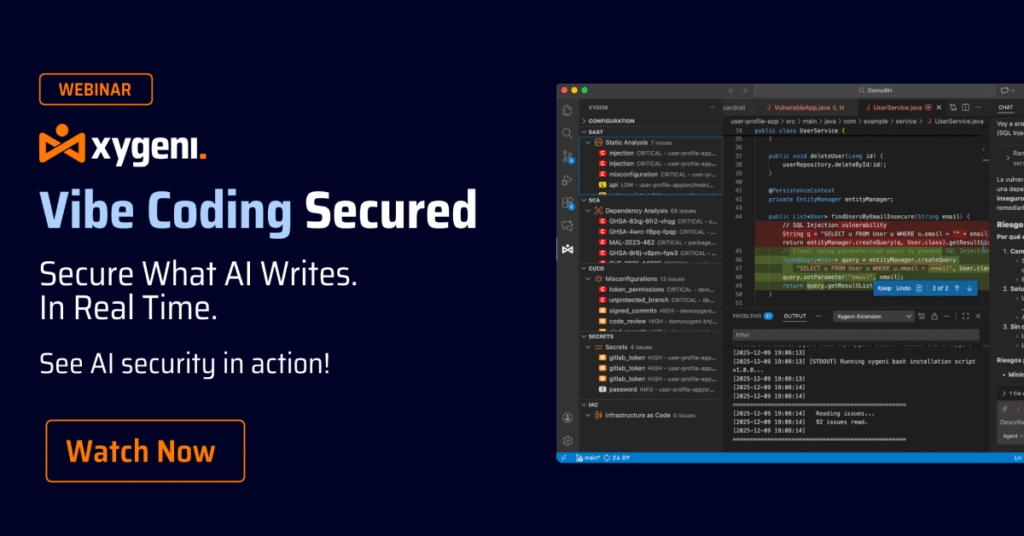
Xygeni DevAI is an agentic security layer that runs inside the same IDEs developers already use, including VS Code, IntelliJ, Cursor, and Windsurf, and works proactively without requiring prompts. It performs incremental scans on every save, detects vulnerable patterns, exposed secrets, and unsafe dependencies in both human-written and AI-generated code, and explains the real exploit path behind each finding. Every fix DevAI proposes is evaluated by Xygeni’s MCP Server for risk, policy compliance, and breaking-change impact before it reaches the developer.
On the dependency side, Xygeni’s Malware Early Warning system (MEW) scans new open-source packages in real time and flags malicious ones before a public CVE or signature exists, closing exactly the slopsquatting gap described above. And because Xygeni’s AI Triage, AI Explanation, and AI Remediation apply to findings from Xygeni’s own scanners as well as findings ingested from other AppSec tools already in place, teams get one consistent security layer across everything an AI coding assistant touches, without ripping out what they already use.
The result: developers keep the speed AI coding gives them, and security teams get visibility into what that speed is actually producing.

FAQ: AI Coding, Explained
Is AI coding the same as vibe coding?
Vibe coding is a specific style of AI coding where the developer describes an outcome in natural language and iterates by describing what is wrong, rather than editing code line by line. It is one point on the AI coding spectrum, alongside copilot-style assistance and fully agentic coding.
Is AI-generated code less secure than human-written code?
It is not automatically less secure, but independent research consistently finds a meaningfully higher rate of security vulnerabilities in AI-generated code samples than in code written without AI assistance, along with new risk categories, like hallucinated package names, that human-written code does not introduce.
Can AI coding tools introduce malware into a project?
Yes, most commonly through slopsquatting: an AI tool suggests a package name that does not exist, and an attacker has already published a malicious package under that exact name, expecting developers or agents to install it.
Do I need a different security tool for AI-generated code?
Not necessarily a different tool, but a different point in the workflow. Traditional CI-stage scanning still matters, but it runs too late to keep pace with agentic and vibe coding. Real-time scanning inside the IDE, at the moment the AI generates code, closes that gap.
Which IDEs support AI coding security tools today?
Modern security layers, including Xygeni DevAI, run natively inside VS Code, IntelliJ, and AI-first IDEs like Cursor and Windsurf, covering the editors where most AI coding actually happens.
