


When “You Aren’t Gonna Need It” Becomes a Security Principle
YAGNI is not just a productivity principle; it’s a secure coding principle that directly supports code hygiene and clean code practices. By avoiding unnecessary code, developers reduce both maintenance costs and potential vulnerabilities. Every feature or endpoint that isn’t needed increases the attack surface. Unused routes, temporary flags, or forgotten test functions weaken your code hygiene and create silent entry points for attackers. When you apply YAGNI consistently, you’re enforcing the essence of secure coding principles: minimal exposure and explicit control.
⚠️Insecure example, for educational purposes only. Do not use in production.
					// Leftover debug endpoint - inactive but accessible
[HttpGet("debug/report")]
public IActionResult GenerateDebugReport()
{
    return Ok("Internal report generated");
}
A leftover debug route is a security time bomb.
Secure version:
					// Secure: remove or restrict unused endpoints
// # Educational note: always remove unused or unfinished features before deployment
Educational note: Each unnecessary line is a liability. YAGNI helps enforce disciplined code hygiene, write only what’s essential.
The Hidden Risks of Overengineering and Unused Functionality
Overengineering violates both YAGNI and secure coding principles.
Developers often add flexibility “for future requirements,” introducing dead code, complex paths, and latent vulnerabilities.
Examples of YAGNI violations that break security and code hygiene:
- Inactive modules with outdated logic are still deployed in production.
- Feature toggles that disable validation but remain publicly accessible.
- Debug variables left in environment files harm both clean code and code hygiene.
⚠️Insecure example, for educational purposes only:
					# .env (left in staging)
DEBUG=true
API_EXPERIMENTAL_ENDPOINT=/internal/test
# Never expose real tokens, credentials or internal URLs in pipelines
Secure Version
Remove unused variables, disable debug flags, and ensure no internal endpoints are exposed in production environments.
					# ✅ Secure .env example for production
DEBUG=false
# API_EXPERIMENTAL_ENDPOINT is removed or restricted internally
API_BASE_URL=https://api.example.com
LOG_LEVEL=INFO
Educational note: Apply the YAGNI principle; if a feature or variable isn’t required for production, it shouldn’t be deployed. Keep environment files clean, validated, and free of debug or experimental entries to prevent accidental exposure and maintain strong code hygiene.
Abandoned configurations like these undermine code hygiene and expose attack surfaces. Practicing YAGNI ensures the only code and settings present are those your application truly needs, nothing more, nothing less.
Code Bloat and Dependency Debt in CI/CD Pipelines
YAGNI also applies to dependencies and CI/CD automation. Unnecessary libraries inflate builds, introduce vulnerabilities, and violate secure coding principles and code hygiene guidelines. Every dependency you add becomes a potential liability. If you’re not using it, you’re maintaining someone else’s risk.
⚠️Insecure example, for educational purposes only:
					# Insecure dependency list
dotnet add package Newtonsoft.Json
dotnet add package Experimental.Logging
dotnet add package Unused.Analytics
These unused dependencies may contain outdated or vulnerable code.
Secure version:
					# Secure: add only necessary packages
dotnet add package Microsoft.Extensions.Logging
Educational note: Review dependency lists during pull requests for better code hygiene.
Automating dependency audits in CI/CD improves both YAGNI enforcement and code hygiene, ensuring pipelines remain lean, consistent, and compliant.
Applying YAGNI as a Secure Coding Practice
YAGNI aligns perfectly with secure coding principles. It encourages disciplined development where each piece of functionality serves a real, current need. This mindset leads to clean code and sustainable code hygiene.
YAGNI Security and Code Hygiene Checklist
- Remove unused endpoints, routes, and debug features before release.
- Validate necessity before adding new services or modules.
- Limit permissions to what’s required, no extra scopes or API keys.
- Run dependency audits every sprint to ensure relevance.
- Monitor feature toggles and remove deprecated ones.
- Track code hygiene metrics in CI/CD (e.g., unused functions, unreachable branches).
- Avoid leaving commented-out “future code” in repositories.
Example of focused clean code following YAGNI:
					[HttpPost("orders")]
public IActionResult SubmitOrder(OrderDto order)
{
    // Core functionality only - no experimental logic or unused fields
    _orderService.Process(order);
    return Ok();
}
Educational note: Simplicity supports both YAGNI and secure code hygiene.
Every time a developer says, “We might need this later,” they weaken code hygiene and invite unnecessary risk.
Automating Detection of Dead Code and Unused Components
Manual reviews aren’t enough to maintain YAGNI and code hygiene discipline.
Automation ensures consistency, catching unused code paths, obsolete dependencies, and forgotten configs before release.
Static analysis and coverage tools can detect:
- Unreachable classes or functions
- Deprecated APIs still referenced
- Redundant dependencies
- Unused environment variables or feature toggles
Example CI/CD integration
					- name: Detect dead code and enforce hygiene
  run: |
    dotnet build
    xygeni validate --rules dead-code
# Never expose real tokens, credentials or internal URLs in pipelines
Automated checks in pipelines make YAGNI, clean code, and code hygiene measurable. They also reduce human error and accelerate secure development cycles.
How Xygeni Strengthens YAGNI-Driven Security and Code Hygiene
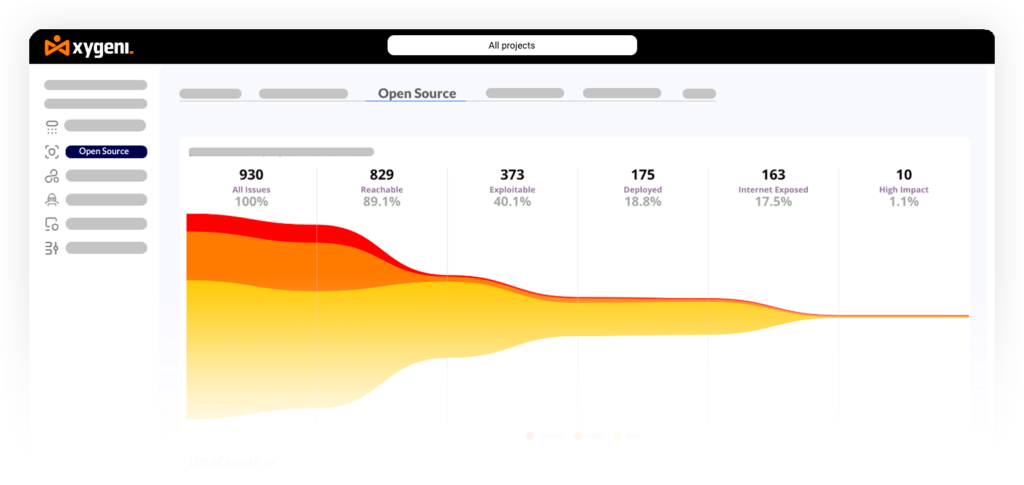
Xygeni operationalizes YAGNI and secure coding principles by automating hygiene checks across repositories and CI/CD pipelines. It continuously detects dead code, unused dependencies, and insecure configurations, applying automatic enforcement to maintain security and efficiency.
Xygeni detects:
- Dormant routes or APIs not invoked by any user flow
- Unreferenced functions and variables bloating binaries
- Outdated or abandoned dependencies with known vulnerabilities
- Obsolete CI/CD secrets and environment variables
Example:
xygeni scan --detect yagni --enforce hygiene
By combining YAGNI analysis with automated enforcement, Xygeni helps DevSecOps teams maintain clean, efficient, and secure code.
Educational note: Integrate Xygeni as a pre-commit or pipeline guardrail to ensure continuous code hygiene and enforcement.
Less Code, Less Risk
Following YAGNI isn’t about cutting corners; it’s about disciplined design and proactive hygiene. Every unnecessary file, dependency, or configuration increases the attack surface.
By practicing YAGNI and secure coding with Xygeni, teams achieve:
- Smaller attack surfaces
- Easier maintenance
- Fewer vulnerabilities
- Better CI/CD performance
- Consistent hygiene across environments
Xygeni detects dead code, outdated dependencies, and insecure configurations, applying automatic enforcement in pipelines to maintain code hygiene and security by design.