






On September 23 and 24, the Xygeni team split across two cities and two OWASP communities to talk about AI Application Security: OWASP AppSec Days Portugal in Porto and OWASP’s AI Security event in Karlsruhe, Germany.
Different countries, different crowds, same question at almost every conversation: “Where does AI actually help in application security, and where is it just a new label on old tools?”
This is our recap of what we heard, what surprised us, and the answers we gave.
TL;DR
Two OWASP rooms, two countries, one question: where does AI actually help in application security? In Porto and Karlsruhe, practitioners were not asking whether to use AI. They were asking which AI in their AppSec stack is doing real work, and who is securing the AI itself.
- ASPM is still a new concept for many teams. In Porto, a lot of practitioners had never worked with an Application Security Posture Management platform, even though they feel the problem it solves every day: too many tools, too many alerts.
- ASPM and "AI SAST" are not the same thing. Scanning finds flaws in code. ASPM decides which findings, from every tool you run, actually deserve your time.
- AI triage and remediation drew the most interest. "Is this real? How urgent? How hard to fix?" is the question every team wants answered automatically, on every finding and from every scanner.
- AI is now an asset to secure, not only a tool to use. Prompt files, MCP servers, agent configs such as
.mcp/servers.jsonand AI credentials are part of the attack surface, as the CHAINDROP campaign made clear three weeks before the events. - Sovereignty matters in Europe. Running AI on your own infrastructure, with your own model, came up again and again.
Two cities, one conversation around AI Application Security
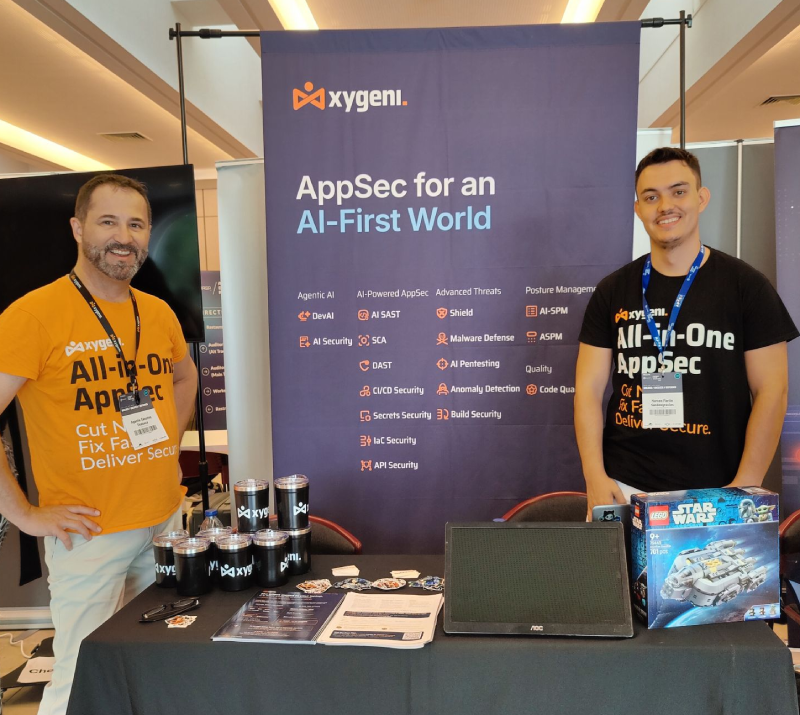
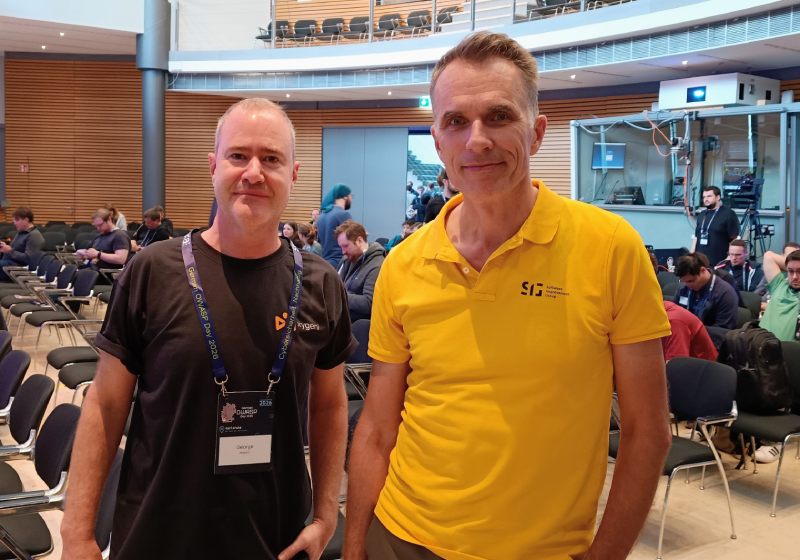
In Porto, Agustín Sánchez (Global Application Security & Secure AI Dev Advisor) and Marcos Martin (DevSecOps Engineer) spent two days at Booth 12 at the Fundação António Cupertino de Miranda. In Karlsruhe, George Nissim (Senior Solutions Engineer) joined the OWASP community at the IHK Haus der Wirtschaft for a day with a strong focus on AI security.
The rooms were full of practitioners: developers, AppSec engineers, DevSecOps leads. People who evaluate by testing, not by reading slides. That made the conversations sharper and more useful for us.
Question 1: “What exactly is ASPM?”
This came up constantly in Porto, and it deserves a clear answer.
ASPM (Application Security Posture Management) is the layer that turns findings from every security tool into one risk model. Most organizations already run several scanners: one for code, one for dependencies, one for secrets, maybe another for infrastructure as code. Each produces its own list, its own severity scale, its own dashboard. The result is thousands of alerts and no shared answer to the only question that matters: what do we fix first?
ASPM answers that question. It ingests findings from native scanners and from third-party tools, correlates them, and prioritizes them by real risk rather than raw severity. If you’re new to the category, our guide to what ASPM is and why it matters is a good starting point.
The key point for teams in the room: ASPM doesn’t require replacing what you already run. Your existing stack becomes the input.
Is ASPM the same as AI SAST?
No. Scanning finds problems. ASPM decides which problems deserve your time.
| Dimension | Scanning (SAST with AI) | ASPM |
|---|---|---|
| Question it answers | Is there a vulnerability in this code? | Of everything we found, what matters most? |
| Scope | One type of finding: source code | Every finding type, from every tool |
| Where AI helps | Detecting, explaining and fixing flaws in code, right in the IDE | Triage, prioritization and remediation across the whole portfolio |
| Output | Findings | A prioritized risk model and a fix queue |
In short: scanning finds problems; ASPM decides which problems deserve your time. You need both, and they’re stronger together, because the same AI layer applies to what Xygeni’s scanners find and to what your other tools find. For a wider view of the market, see our comparison of the top ASPM tools for 2026.
Question 3: “How does Xygeni use AI application security?”
This is where most conversations went deepest. Our answer: AI in Xygeni isn’t there to generate more alerts. It’s there to remove noise and close work. Four concrete jobs around AI Application Security:
1. AI Triage: is this finding real?
For every finding, AI Triage answers three questions: is it a false positive, how urgent is it based on real impact, and how complex is the fix (automatic, medium manual effort, or high manual effort). It works on Xygeni findings and on findings ingested from third-party scanners.
2. AI Explanation: how would an attacker use this?
Instead of a CWE number and a generic description, developers get the full exploit path: how the vulnerability could be exploited and how to verify it. That’s the difference between a ticket that sits in a backlog and one that gets fixed.
3. AI Remediation: fix it without breaking the build
Xygeni proposes validated fixes for code and infrastructure-as-code findings, designed not to break builds. The goal is fewer tickets, not better-written tickets.
4. DevAI: security inside the IDE, without prompts
DevAI works proactively in VS Code, IntelliJ, Cursor and Windsurf. It doesn’t wait for a developer to ask. It detects vulnerabilities in both human-written and AI-generated code as they’re written, explains how an attacker would exploit them, and proposes fixes on the spot.
Question 4: “And who secures the AI itself?”
Karlsruhe went straight here, and Porto followed.
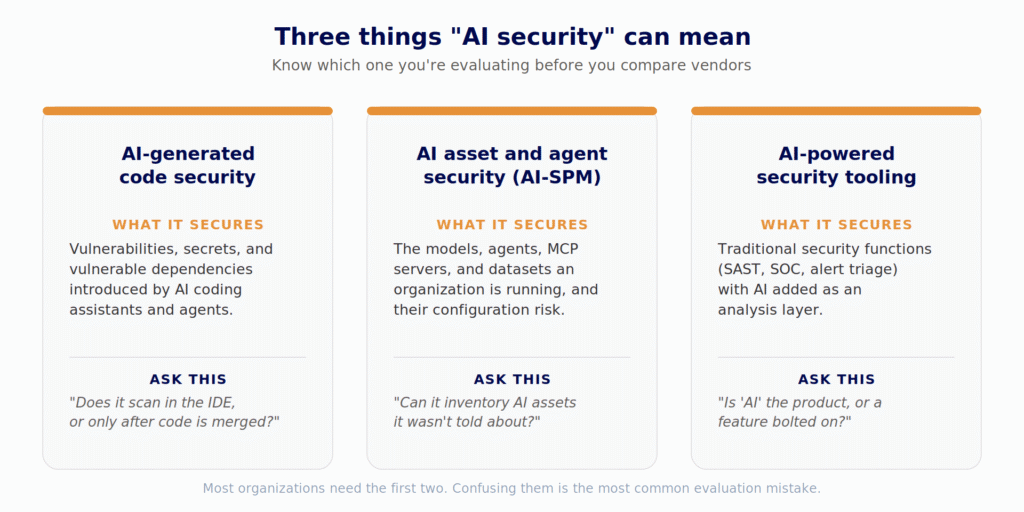
AI coding assistants, agents, and MCP servers are now part of every development environment. They’re governed by plain-text files (skill files, rules files, prompts, MCP configurations) that get committed and reviewed like documentation. Yet they silently change what an AI assistant is instructed to do and what it can reach. We break these risks down in our top 10 AI security threats.
The CHAINDROP campaign in August 2026 showed what that means in practice. A self-propagating worm backdoored hundreds of npm packages totaling over 1.3 billion monthly downloads, with a credential harvester that targeted AI assistant credentials among hundreds of other patterns. No CVE was assigned during active exploitation. There was nothing to wait for. It’s the same pattern we track every week in our confirmed malicious npm packages findings.
Xygeni AI Security addresses this layer in three steps:
- Discover: a live inventory of every AI asset across your repositories (models, frameworks, datasets, agents, MCP servers, skills, prompts, guardrails and the AI coding tools in use), built from code, dependencies and the configuration files AI tools leave behind. No surveys, no self-reporting. Here’s why discovery comes first.
- Map: an AI-BOM and a relationship graph showing which agent calls which tool and which MCP server sits behind which assistant. Risk lives in the wiring, not in any single asset.
- Detect: prompt injection and related risks in code and configuration, mapped to the OWASP Top 10 for LLM Applications, with the exact file and line. Plus AI provider credentials exposed in prompt and agent config files, and malicious AI-stack dependencies caught by MEW, our malware engine that detects malicious packages before a signature exists.
For the full picture, read AI security explained and our guide to AI supply chain security.
Question 5: “Can my code stay in my infrastructure?”
In a European room, this question always comes up. For many teams, AI application security only works if the AI itself respects data sovereignty. The answer is yes: Xygeni runs as SaaS, on-premises, hybrid, or air-gapped. You choose the model (OpenAI, Anthropic, Gemini, Groq, Azure AI Foundry, AWS Bedrock, or your own compatible API), your code doesn’t leave your environment, and you control the AI cost.
With Cyber Resilience Act reporting obligations live since September 11, 2026 (24 hours to send an early warning on an actively exploited vulnerability), knowing your real risk quickly is now a regulatory requirement, not a nice-to-have.
What we took home
Three lessons from one week and two OWASP rooms:
- The market is ahead of the vocabulary. Teams feel the ASPM problem (too many tools, too many alerts) before they know the category name. Explaining it plainly matters more than naming it.
- Practitioners want AI that closes work. Triage and remediation beat “AI-powered detection” in every conversation.
- AI is now an asset to secure, not only a tool to use. The inventory question (“what AI are we actually running?”) is one most teams still can’t answer. It’s also the starting point of any serious AI risk management program.
Thank you to the OWASP Portugal and OWASP Germany communities, the organizers, and everyone who stopped by for a conversation. See you at the next one.
Missed us in Porto or Karlsruhe?
See how AI triage and remediation cut your backlog on your own repositories. Start free: malware detection before a signature exists is included from day one. Want to see AI Security and ASPM working across your whole stack? Talk with the team you would have met at the booth.

FAQ
What is the difference between ASPM and SAST?
SAST scans source code for vulnerabilities. ASPM aggregates findings from SAST and every other security tool, correlates them, and prioritizes them by real risk, so teams know what to fix first.
Does AI triage work on findings from other tools?
With Xygeni, yes. AI Triage, Explanation and Remediation apply to Xygeni’s own findings and to findings ingested from third-party scanners such as Snyk, Veracode and Checkmarx.
What is an AI-BOM?
An AI Bill of Materials lists the AI components in your software: models, datasets, agents, MCP servers, prompts and guardrails, and how they connect.
Can Xygeni’s AI run on-premises?
Yes. Xygeni supports on-premises, hybrid, and air-gapped deployments, with your choice of AI model.
