






Most engineering teams run two separate conversations about the same codebase. One is about security: is there a SQL injection risk, a hardcoded secret, an exploitable dependency. The other is about maintainability: is this function too complex, is this code duplicated three times, is there dead code nobody dares to delete.
These conversations usually happen in different tools, run by different teams, on different schedules. A security scanner flags what’s exploitable. A separate quality tool, often bought and managed independently, flags what’s expensive to maintain. Two licenses, two dashboards, two parsers walking the same abstract syntax tree to answer two different questions.
That split has a cost. Reliability defects (the kind that cause runtime failures, not breaches) don’t get the same triage discipline as security findings, because they live outside the security team’s dashboard. And when a team already has a static analysis engine parsing every file for security purposes, standing up a second, unrelated engine just to check code quality is redundant work with no shared benefit.
Why Code Quality Matters (and How It’s Different From Code Security)
Code quality and code security answer two different questions. Code security asks: can this code be exploited? Code quality asks: can this code be maintained? A function can be perfectly secure and still be a five-hundred-line tangle that nobody wants to touch, and a well-organized, easy-to-read module can still ship with a critical injection flaw. Neither discipline substitutes for the other.
The cost of ignoring code quality doesn’t show up as a breach. It shows up slower: a new hire takes two weeks instead of two days to make a safe change, a routine feature takes three sprints because nobody can predict what a duplicated block will break elsewhere, an on-call engineer burns an hour tracing a bug through dead code that should have been removed a year ago. None of that trips a security alert. All of it shows up in velocity, and by the time it’s visible in a sprint retro, it’s already expensive to fix.
That’s the case for treating quality with the same rigor as security: not because a code smell is a threat, but because letting maintainability debt accumulate unmonitored is how a codebase becomes the place features go to die.
The Better Way: One Engine, Two Rule Catalogs
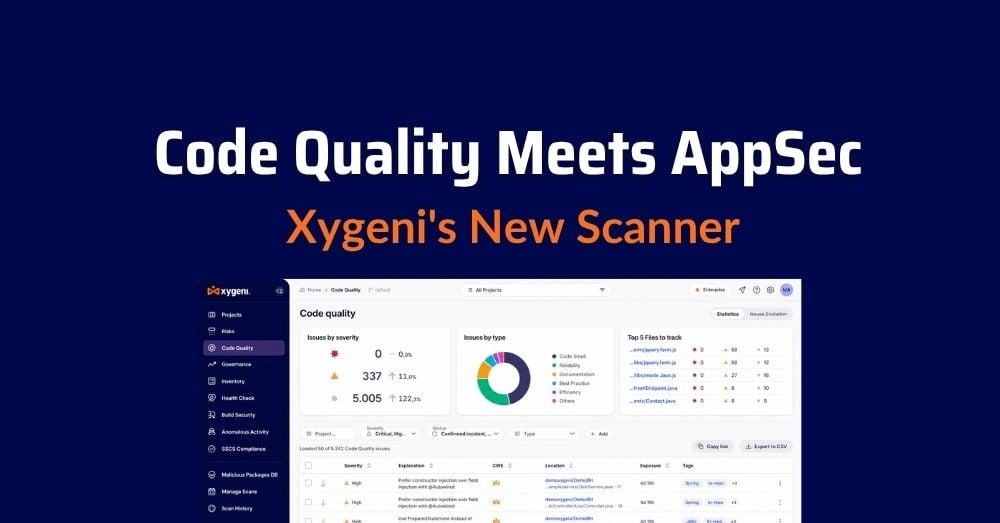
Xygeni’s Code Quality scanner analyzes source code for maintainability and reliability defects: code smells, complexity violations, dead code, and duplication- the patterns that don’t cause a breach but do cause outages, regressions, and slow-moving teams.
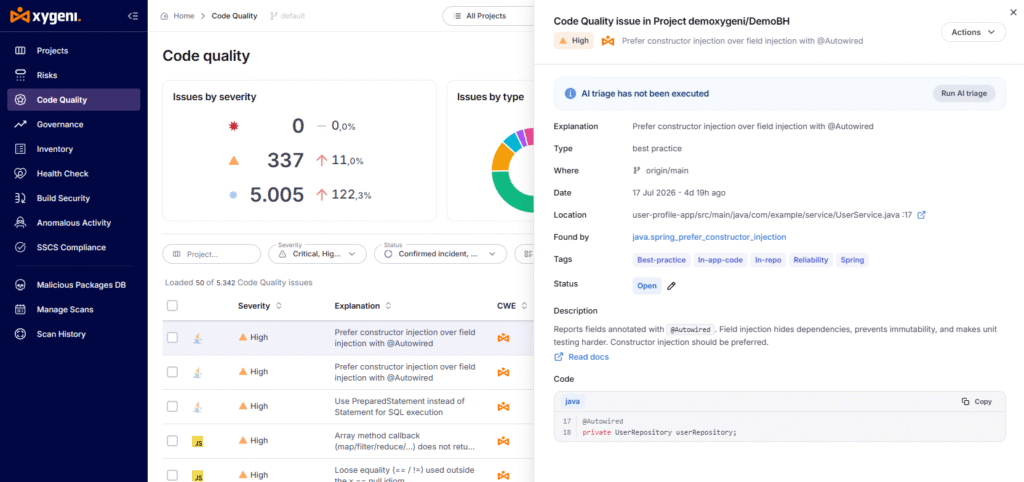
The distinguishing design choice is architectural, not cosmetic. Code Quality shares its static-analysis engine with Xygeni’s SAST scanner: the same parsers, the same AST construction, the same file discovery. What it does not share is the rule catalog. Quality rules are scoped to quality, not security, and findings are surfaced in a dedicated Quality section of the Xygeni platform, kept separate from SAST and the rest of the security risk tables.
The result: teams get a maintainability view and a security view from the same underlying analysis pass, without merging two different concerns into one noisy dashboard.
Two Ways to Get a Quality Signal in Your Pipeline
Not every “code quality” feature works the same way under the hood. Many CI/CD-native quality tools are aggregation layers: they don’t analyze your code themselves; they import results from whichever linter you already run (a JavaScript linter, a Python linter, a duplication detector), each reformatted into a shared JSON schema, each wired up as its own pipeline step. That’s flexible, but it means your quality signal is only as consistent as however many separate tools, formats, and maintainers you’ve stitched together, one per language.
Xygeni’s Code Quality scanner takes the other path: one native engine, already running for security, extended with a quality rule catalog. There’s no per-language linter to install, no report format to reformat, no separate job to maintain per tool. You get one command, one consistent severity model, and one dashboard section, because the analysis was never split across tools to begin with.
How It Works?
Code Quality runs as its own CLI command:
xygeni quality -d <directory> [options]
(xygeni code-quality works as an alias.)
It shares its option model with xygeni sast, so anyone already running Xygeni’s security scanner will recognize the interface immediately:
| Option | What It Does |
|---|---|
-d, --dir | Directory to analyze |
--detectors | Run specific detector IDs, or a severity and everything above it |
--fail-on | Exit non-zero at a given severity, for CI/CD gating |
--baseline | Compare against a baseline and return only new findings |
--upload | Send results to the Xygeni platform |
Generating a code quality report
A scan produces a code quality report you can send to the platform, export as JSON for CI artifacts, or hand to a team lead without giving them dashboard access. Both are one-line commands:
# Scan and upload straight to the Xygeni platform
xygeni quality -n MyProject –upload
# Export a code quality report as JSON, critical findings only
xygeni quality -d <dir> –detectors critical –format json –output quality.json
Once uploaded, that same code quality report is what populates the Quality section of the dashboard: filterable, with slide-out detail per finding, baselines, and the same reporting behavior teams already use for SAST.
Running quality alongside a security scan
For teams that want both signals from a single pass, the SAST scanner accepts an –include-quality flag:
xygeni sast -d <dir> –include-quality
Because SAST and Code Quality share the parser stage, this is more efficient than running the two scanners back to back. It produces two separate reports, security and quality, and each still lands in its own dashboard section. The flag changes how the scan executes, not how the results are organized.
Scanning without connectivity
For air-gapped environments or CI runners without egress to the Xygeni platform, quality scans can run locally and be uploaded later:
xygeni quality -d <dir> -n MyProject
# …later, from a host with connectivity:
xygeni report-upload -n MyProject -r depsdoctor-quality.json
Findings land in the Quality section exactly as they would from a live scan: same triage, same policy, same baseline behavior.
Why Keeping Quality Separate From Security Matters
It would be easy to fold code smells into the same severity list as an exploitable vulnerability. Xygeni deliberately doesn’t. A duplicated function and a SQL injection are not the same kind of risk, and treating them the same way trains teams to either over-react to maintainability noise or under-react to real security findings. Keeping the rule catalogs, the reports, and the dashboard views separate, while sharing the engine underneath, means each team gets the signal that matters to them without paying for a second static analysis tool.
Try It: Code Quality is available today through the Xygeni CLI. Teams already running xygeni sast can add –include-quality to their existing pipeline in one line, no new tool to onboard, no second dashboard to check.

FAQ
What is Xygeni Code Quality?
Xygeni Code Quality is a static analysis scanner that detects maintainability and reliability defects, including code smells, complexity violations, dead code, and duplication. It runs as its own command (xygeni quality) and reports into a dedicated Quality section of the Xygeni platform, separate from security findings.
Is Code Quality the same as SAST?
No. Code Quality and SAST share the same underlying parsing engine but use independent rule catalogs and produce independent reports. SAST looks for security vulnerabilities; Code Quality looks for maintainability and reliability defects.
Can I run a quality scan and a security scan at the same time?
Yes. Running xygeni sast -d <dir> –include-quality executes both rule sets in a single pass, which is more efficient than running the two scanners separately, since they share the parser stage. The results still produce two separate reports and appear in two separate dashboard sections.
Do I need a separate license for Code Quality?
Uploading and viewing quality results requires the Code Quality entitlement, the same one required to run the scan.
Can Code Quality run without internet access?
Yes. Scans can run locally without the –upload flag, and the resulting report can be uploaded later from a connected host using xygeni report-upload.
