A SKILL.md file is a Markdown file with a short YAML header that teaches an AI agent how to perform a specific task. It sits in a folder, optionally with scripts, reference docs and templates, and the agent loads it only when the task calls for it. SKILL.md files follow the open Agent Skills specification, so one skill works across many coding agents. For product teams, a SKILL.md file is the new front door: the way an agent learns to use your product correctly. For security teams, it is a plain-text file that changes what an agent does, and it deserves the same review as code.
What is a SKILL.md file? #
AI agents are capable but generic. They know how to write code and call tools. They do not know your deployment process, your API conventions or the three flags your CLI needs to run safely in CI. Until recently, the fix was to paste all of that into a system prompt that loaded every session and competed with the actual work for context.
A SKILL.md file solves this differently. It packages one capability (deploy this service, triage these findings, generate this report) into a folder the agent can discover, read when relevant and ignore otherwise. The format was developed by Anthropic and released as an open standard, the Agent Skills specification, and has since been adopted by a growing number of agents, including OpenAI Codex, GitHub Copilot and Cursor.
So a team asking what is a SKILL.md file is really asking two questions: how do we teach agents to use our tools well, and how do we stop agents from being taught the wrong thing? → What is Agentic AI Security?
SKILL.md meaning: What the file actually contains #
The SKILL.md meaning is simpler than the hype around it. A skill is a folder with one required file:
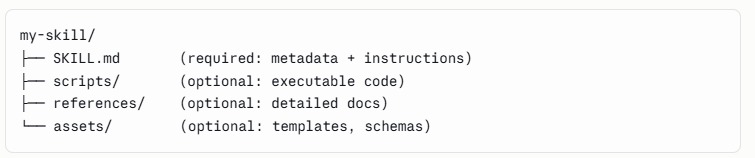
The SKILL.md file itself has two parts: #
- Markdown body. The instructions: steps, rules, examples and pointers to the supporting files the agent should open when it needs them.
- YAML frontmatter. At minimum a
nameand adescription. The description is the most important line in the file, because it is what the agent reads to decide whether the skill applies.
What it does not contain: credentials, business logic that belongs in code, or instructions that only make sense for one conversation.
Why SKILL.md files became a standard #
Because context is finite. Every token spent on instructions an agent does not need is a token not spent on the task. Skills load in layers, so an agent can carry dozens of them and pay almost nothing until one is relevant.
Portability did the rest. A skill written once runs in any agent that implements the specification. For a product company, that changes the economics of agent support: instead of one integration per assistant, you publish one skill.
And agents became users. Developers increasingly ask an agent to “set up the scanner” or “fix the pipeline” rather than reading the docs themselves. If the agent learns your product from a stale forum post, it will use it badly. A SKILL.md file lets you decide what the agent learns.
The design principle is progressive disclosure: metadata at startup, instructions on activation, resources on execution. It is also why the description matters so much. A vague description means the skill never triggers, or triggers when it should not.
How to structure your product for AI agents
#
Treat agent skills as a product surface, with the same care you give your API reference.
- One skill per job, not one skill per product. “Configure scanning in CI” and “triage findings” are separate skills. A single skill that tries to cover everything triggers unpredictably and bloats the context it loads.
- Write the description as a trigger. State what the skill does and when to use it, in the words users actually type.
- Keep the body short and imperative. Steps, guardrails and defaults. Move depth into
references/so it loads only when needed. - Put deterministic work in scripts. If a step must happen the same way every time (validating a config, formatting output), ship a script instead of prose the model has to interpret.
- Encode the safe path. State what the agent must never do: skip validation, disable checks, use production credentials. Agents follow explicit rules far better than implied ones.
- Version and test it like code. Keep skills in a repository, review changes in pull requests and test them against real tasks before release.
Pair the skill with an MCP server if your product exposes actions. MCP gives the agent access to your tools; the skill teaches it how to use them well. → What is Model Context Protocol (MCP)?
What is a SKILL.md file not? Neighbouring terms
#
These get confused, which muddies both design and review conversations.
- AGENTS.md and CLAUDE.md are always-on files: repository-wide conventions loaded every session. Skills load on demand.
- An MCP server exposes tools and data. A SKILL.md file carries knowledge and procedure. They complement each other.
- A system prompt is fixed instruction for one application. A skill is portable and reusable across agents.
- A rules file (such as a Cursor rules file) steers an assistant’s behaviour inside one tool. Same risk profile, narrower portability.
- llms.txt helps models read your documentation. A skill tells an agent what to do with it.
They are layers, not competitors. What they share is that each is plain text that changes what an AI agent does, and each is usually reviewed as documentation.
Standards that shape the SKILL.md meaning of risk #
Judge a source by publication status, not by how current it sounds.
The risk is documented, not hypothetical. MITRE ATLAS catalogues an attack in which hidden instructions in a rules file lead an assistant to generate backdoored code with no visible trace. A malicious SKILL.md file works the same way, and a skill that bundles scripts can execute code as well as instruct. Installing a community skill carries the same trust decision as installing a package. → What is Prompt Injection?
From definition to programme #
Knowing what a SKILL.md file is does not tell you how many are already in your repositories, who added them, or what they instruct agents to do.
That gap closes in a predictable order. Discover every skill, rules file and MCP configuration across your code, including the ones nobody declared. Analyse them as security artifacts rather than documentation. Then keep the record current, so an auditor or incident responder can see which agent assets exist and how they connect.
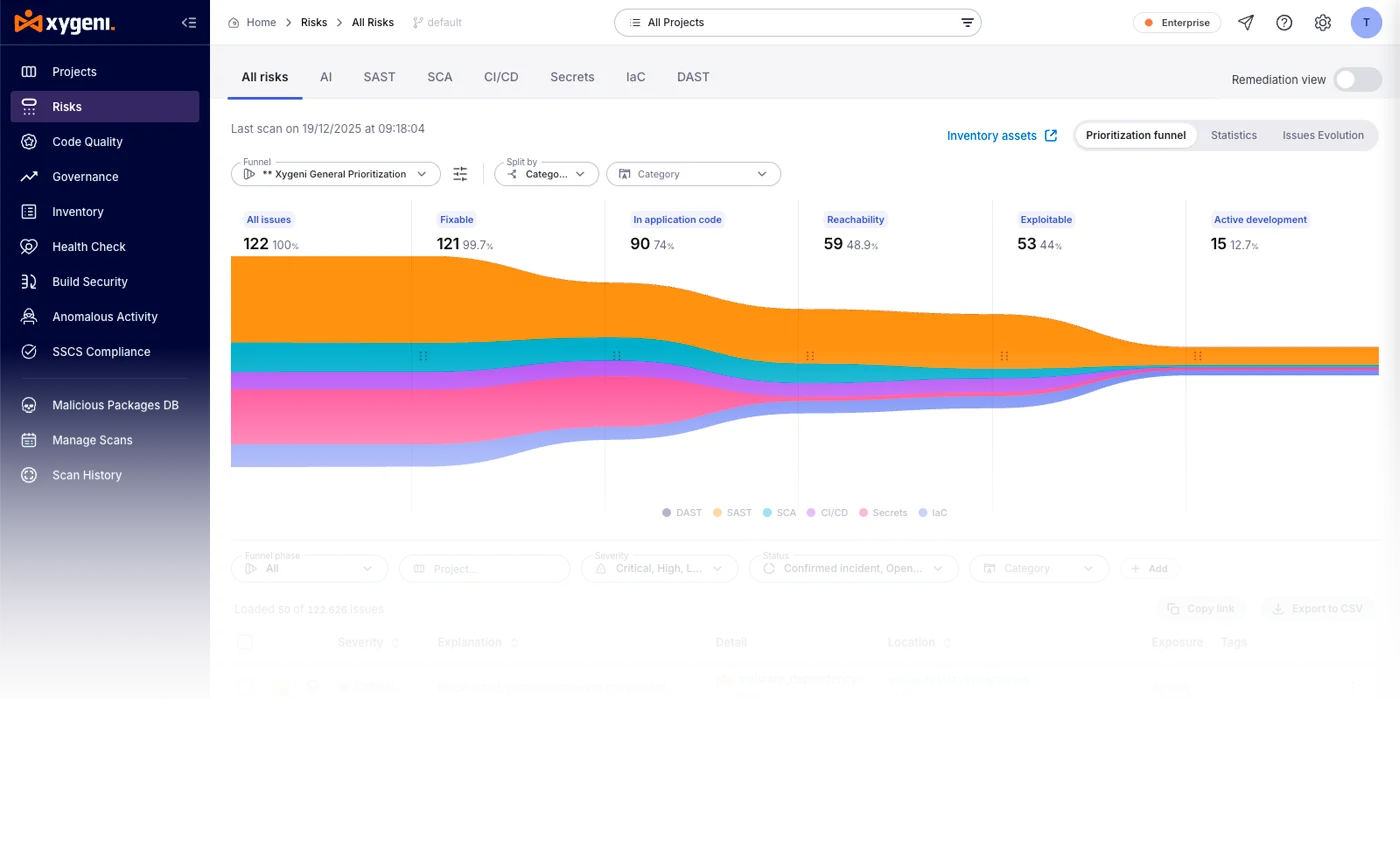
Xygeni AI Security builds that record from your code. Skills sit alongside models, datasets, inference endpoints, agents, MCP servers, prompts, guardrails and AI coding tools in a continuous AI inventory, each with a risk score, provider, type and exact location in code. Xygeni analyses skill files, rules files and MCP configurations as security artifacts, and flags malicious ones. The AI graph shows which agent reaches which tool, and a machine-readable AI-BOM exports from the same discovery. → What Is an AI BOM? and What Is Shadow AI?
Schedule a demo to see the agent skills already in your AI inventory.
FAQ #
A Markdown file that teaches an AI agent how to do one specific task, loaded only when that task comes up.
In a folder per skill, usually inside a project repository or a user’s agent configuration directory. The exact location depends on the agent.
Yes, when both follow the Agent Skills specification. The same SKILL.md file runs in any compatible agent without changes.
If developers use AI agents to set up or operate your product, yes. It is the most direct way to make sure agents use it correctly and safely.
They can be. A skill is instruction the agent follows, and it may bundle executable scripts. Review skills like code, install community skills only from sources you trust, and keep an inventory of which skills exist across your repositories.